

Why your electronics bill is harder to track than you think
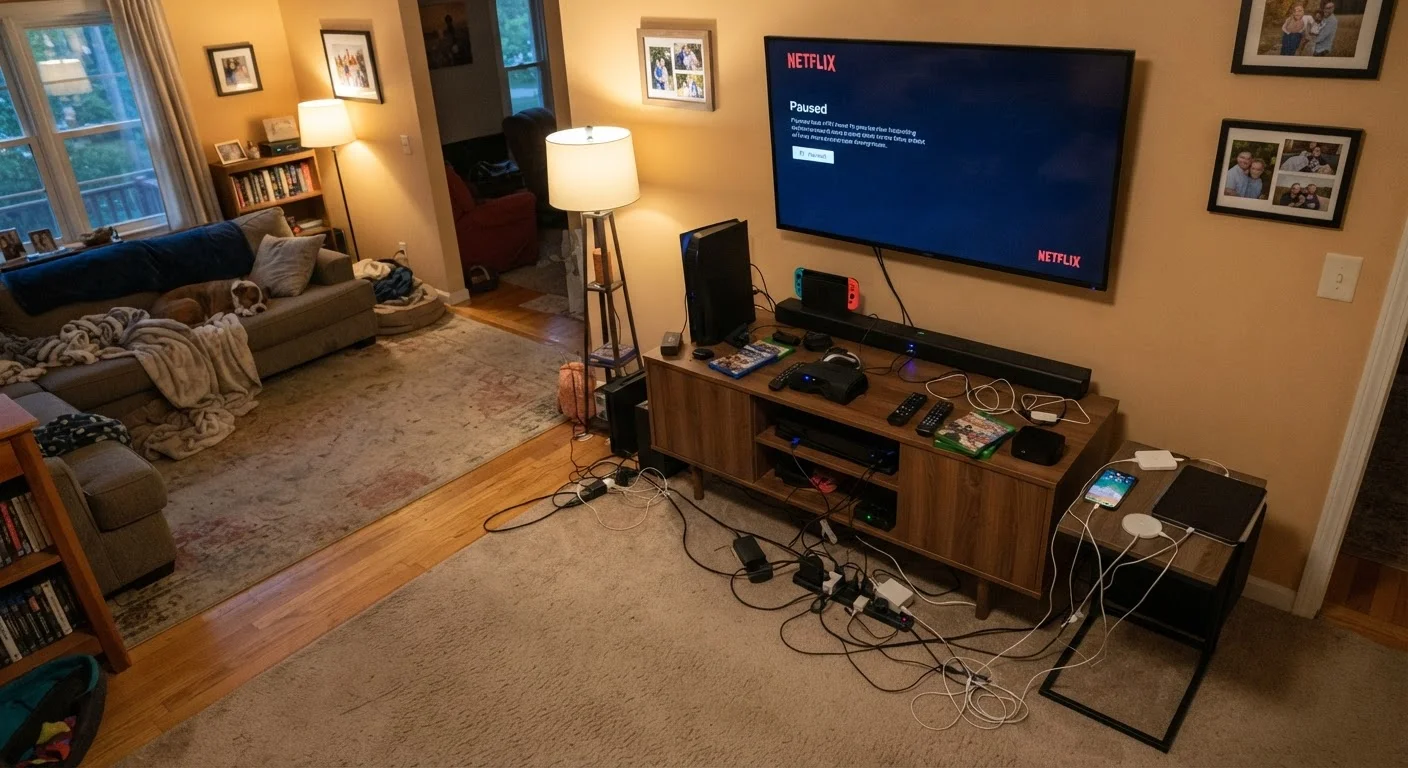
Most families focus on the price tag when buying a new TV or laptop. What gets less attention is the cost of running that device for years afterward. Electricity is a fixed monthly expense, but the devices you plug in determine how large that expense grows. The problem is that no single device looks expensive to run. A phone charger, a game console, a cable box sitting on standby, a router that never gets unplugged: individually, each seems trivial. Collectively, they can account for a meaningful share of a household electricity bill.
The U.S. Energy Information Administration has noted that consumer electronics represent a significant and growing portion of residential electricity consumption. A household with several screens, a game console, and multiple always-on devices can see their electronics-related usage add up faster than most would predict from looking at a single appliance.
Understanding this starts with a simple concept: wattage times hours equals consumption. A device rated at 100 watts running for 10 hours uses 1 kilowatt-hour (kWh) of electricity. Your utility bill charges you per kWh, so usage patterns matter as much as hardware specs. Before your next purchase, the family electronics buying checklist can help you factor in running costs alongside sticker price.
Kilowatt-hour (kWh)
The standard unit utilities use to measure and bill electricity consumption. One kWh is 1,000 watts of power used for one hour.
Phantom load
Electricity a device consumes while plugged in but not in active use. Also called standby power or idle draw, it can add up across multiple always-on devices.
Wattage
A measure of how fast a device consumes electrical power. Higher wattage means more electricity consumed per hour of use.
ENERGY STAR
A U.S. EPA certification program that identifies electronics and appliances meeting defined energy-efficiency standards. Certified products typically draw less power in both active and standby modes.
Standby mode
A low-power state many devices enter when not actively in use but still plugged in. Some devices in standby draw nearly as much power as when fully active.
How to estimate what each device costs per year
The math is straightforward once you have two numbers: the device's wattage (usually printed on the label or listed in the manual) and how many hours per day it runs.
The formula:
- Multiply watts by daily hours to get watt-hours per day.
- Divide by 1,000 to convert to kWh per day.
- Multiply by 365 for annual kWh.
- Multiply by your utility's rate per kWh (check your last bill; the U.S. average is roughly $0.16 per kWh, though rates vary widely by state).
Example: A 150-watt TV running 5 hours daily = 750 watt-hours, or 0.75 kWh per day. That is about 274 kWh per year, or roughly $44 at the U.S. average rate. Add a game console, a cable box, and a soundbar, and the number climbs quickly.
| U.S. average electricity rate | Approximately $0.16 per kWh (U.S. Energy Information Administration) |
| Typical cable box standby wattage | 10 to 25 W (Natural Resources Defense Council energy research) |
| Streaming stick active wattage | 2 to 5 W (Manufacturer specification ranges) |
| Share of home electricity from electronics | Roughly 15 to 25% in many U.S. homes (U.S. Department of Energy residential estimates) |
| Phantom load across a typical home | Can account for 5 to 10% of total electricity use (U.S. Department of Energy) |
Standby power (sometimes called phantom load) is the electricity a device draws while plugged in but not actively in use. A cable box or modem left on 24 hours a day consumes power continuously even when no one is watching or connected. For a broader look at how spending habits stack up across product categories, see the article on hidden costs of cheap electronics.
Which devices draw the most power
Not all electronics are equal consumers. The list below gives general wattage ranges based on publicly available product specifications and energy research. Actual consumption varies by model, age, and usage pattern.
| Device type | Typical active wattage | Standby wattage |
|---|---|---|
| Large LED TV (55 in+) | 80 to 150 W | 0.5 to 3 W |
| Home game console | 100 to 200 W | 1 to 15 W |
| Cable or satellite box | 15 to 30 W | 10 to 25 W |
| Desktop computer | 100 to 300 W | 2 to 5 W |
| Laptop | 20 to 60 W | 1 to 2 W |
| Streaming stick | 2 to 5 W | 1 to 2 W |
| Wi-Fi router | 5 to 20 W | 5 to 20 W (always on) |
| Phone charger (idle) | 0.1 to 0.5 W | 0.1 to 0.5 W |
Cable and satellite boxes stand out because their standby draw is nearly as high as their active draw. A streaming stick, by contrast, draws a fraction of the power and goes nearly dormant when idle. That difference affects long-term cost more than the device purchase price does. For a direct comparison of those setups, see streaming sticks vs. smart TVs.
Practical ways to reduce electronics-related energy use
A few habits reduce phantom load and active consumption without requiring new hardware purchases.
- Use a smart power strip or a standard power strip with a physical switch so you can cut power to an entire entertainment center at once. Devices that stay plugged in with no easy off switch are the main source of phantom load.
- Enable sleep or auto-off settings on TVs, monitors, and game consoles. Most devices ship with aggressive power-saving settings turned off by default.
- Check the energy label before purchasing a replacement device. In the U.S., the ENERGY STAR program certifies products that meet efficiency standards set by the Environmental Protection Agency. An ENERGY STAR-certified TV or computer typically uses less power in both active and standby modes than a non-certified equivalent.
- Unplug chargers when they are not actively charging. An idle phone charger draws very little on its own, but households typically have several, and the habit matters more when applied to larger adapters for laptops and tablets.
Some families also find it worthwhile to pick up a plug-in watt meter (a device that measures actual electricity draw in real time) to audit what is actually happening rather than relying on rated wattage figures. Rated wattage reflects maximum draw; actual consumption is often lower during typical use. Many electronics myths that cost families money involve assumptions about power use that a watt meter can quickly correct.
The content provided on our blog site traverses numerous categories, offering readers valuable and practical information. Readers can use the editorial team’s research and data to gain more insights into their topics of interest. However, they are requested not to treat the articles as conclusive. The website team cannot be held responsible for differences in data or inaccuracies found across other platforms. Please also note that the site might also miss out on various schemes and offers available that the readers may find more beneficial than the ones we cover.